 macOS 15.0+ · Universal Binary
Image conversion,
simplified.
Image conversion, simplified.
Open the floating window from your menu bar, drop images onto a card, and watch them convert to HEIC, JPG, PNG, WebP or TIFF instantly. Local only — nothing ever leaves your Mac.

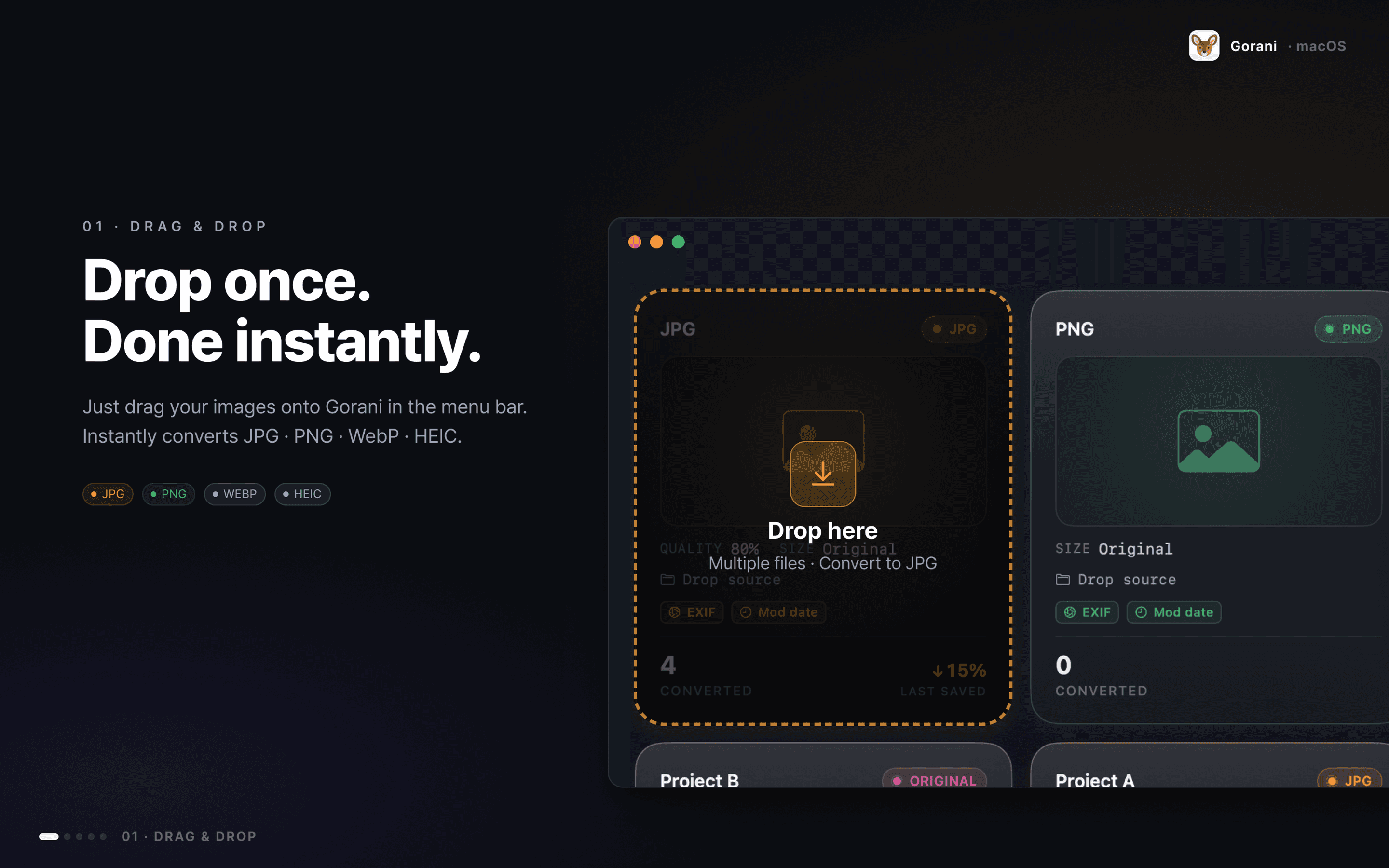
01 · DRAG & DROP
Drop once. Done instantly.
Just drag your images onto Gorani in the menu bar. Instantly converts JPG · PNG · WebP · HEIC.
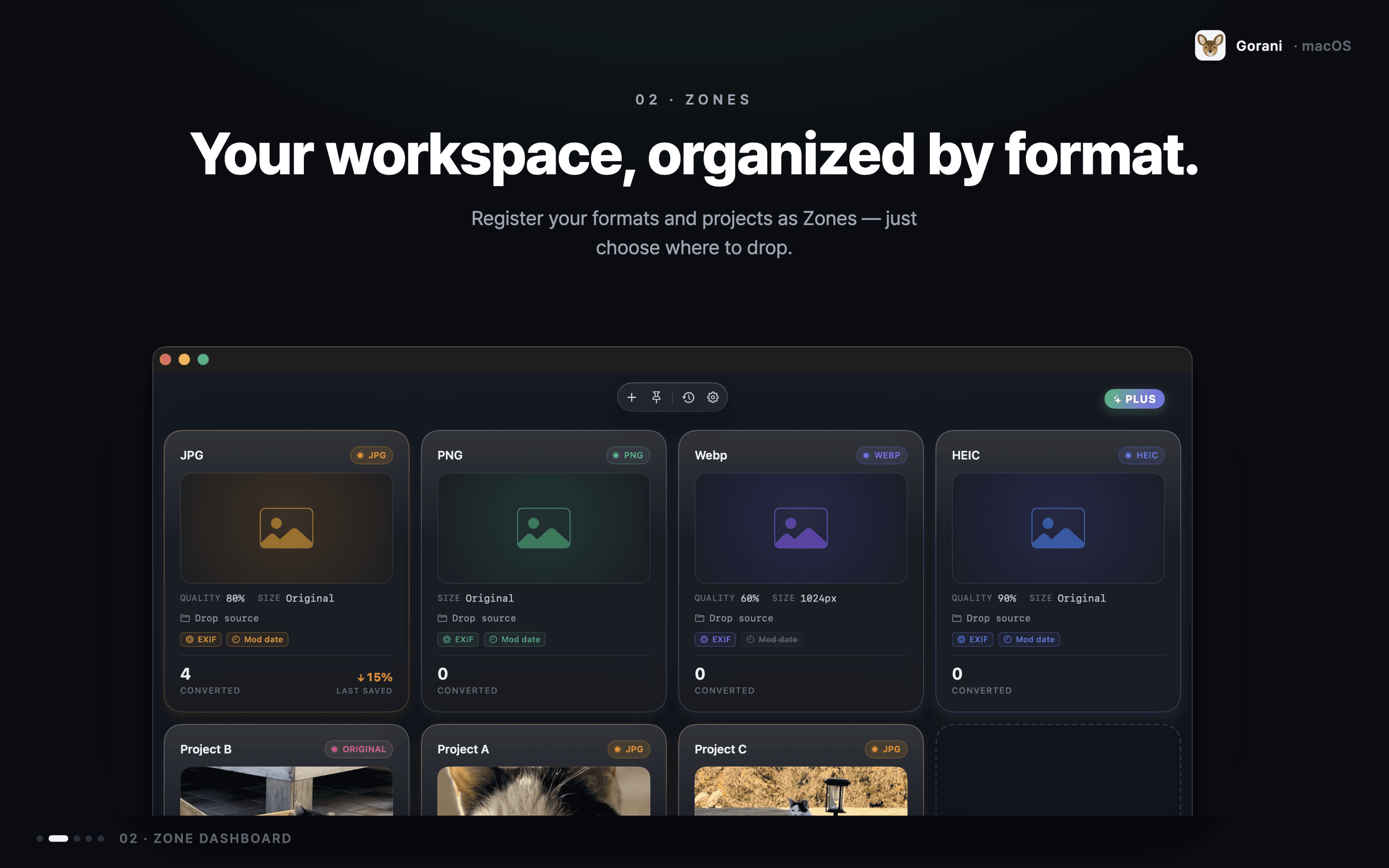
02 · ZONES
Your workspace, organized by format.
Register your formats and projects as Zones — just choose where to drop.
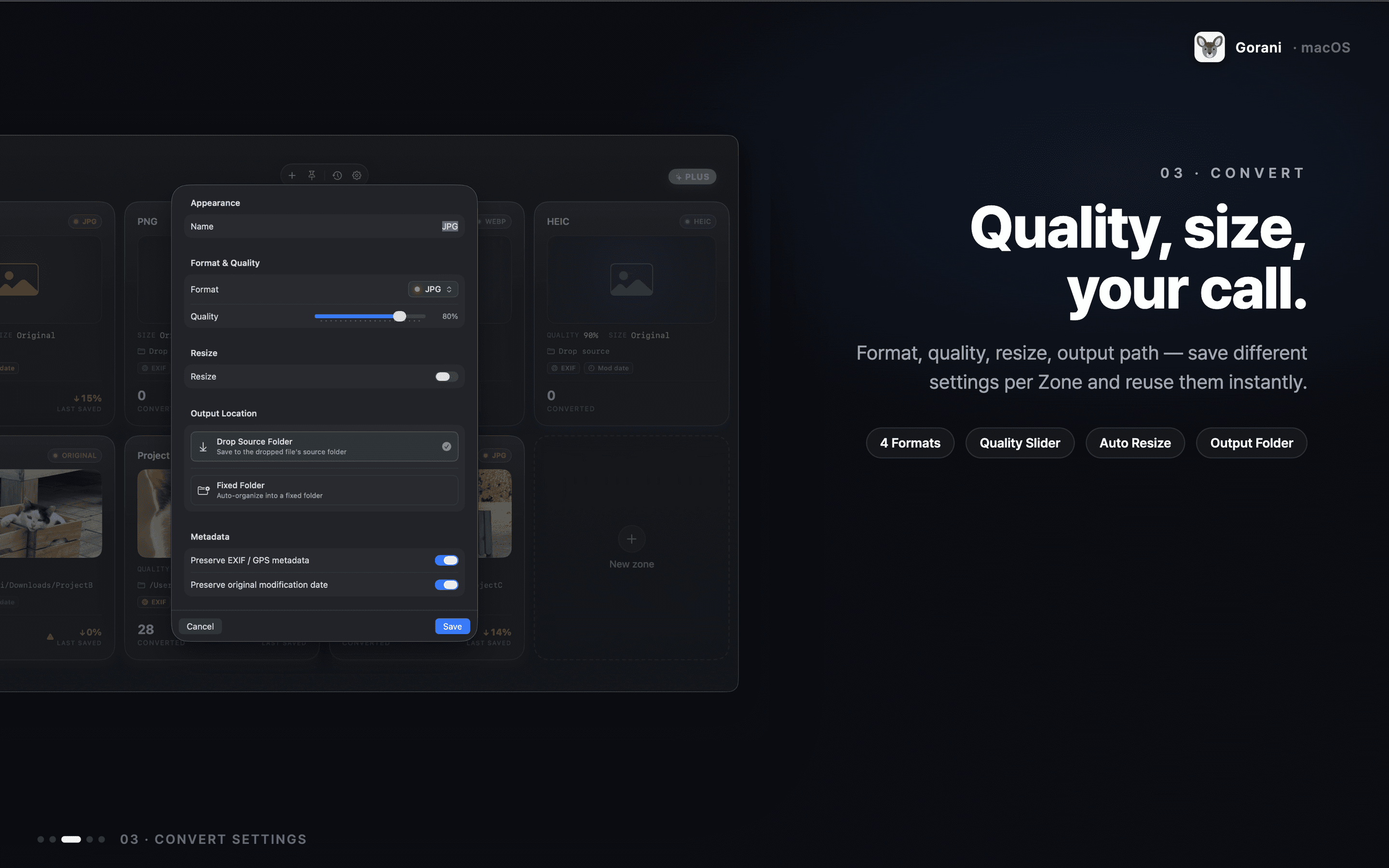
03 · CONVERT
Quality, size, your call.
Format, quality, resize, output path — save different settings per Zone and reuse them instantly.
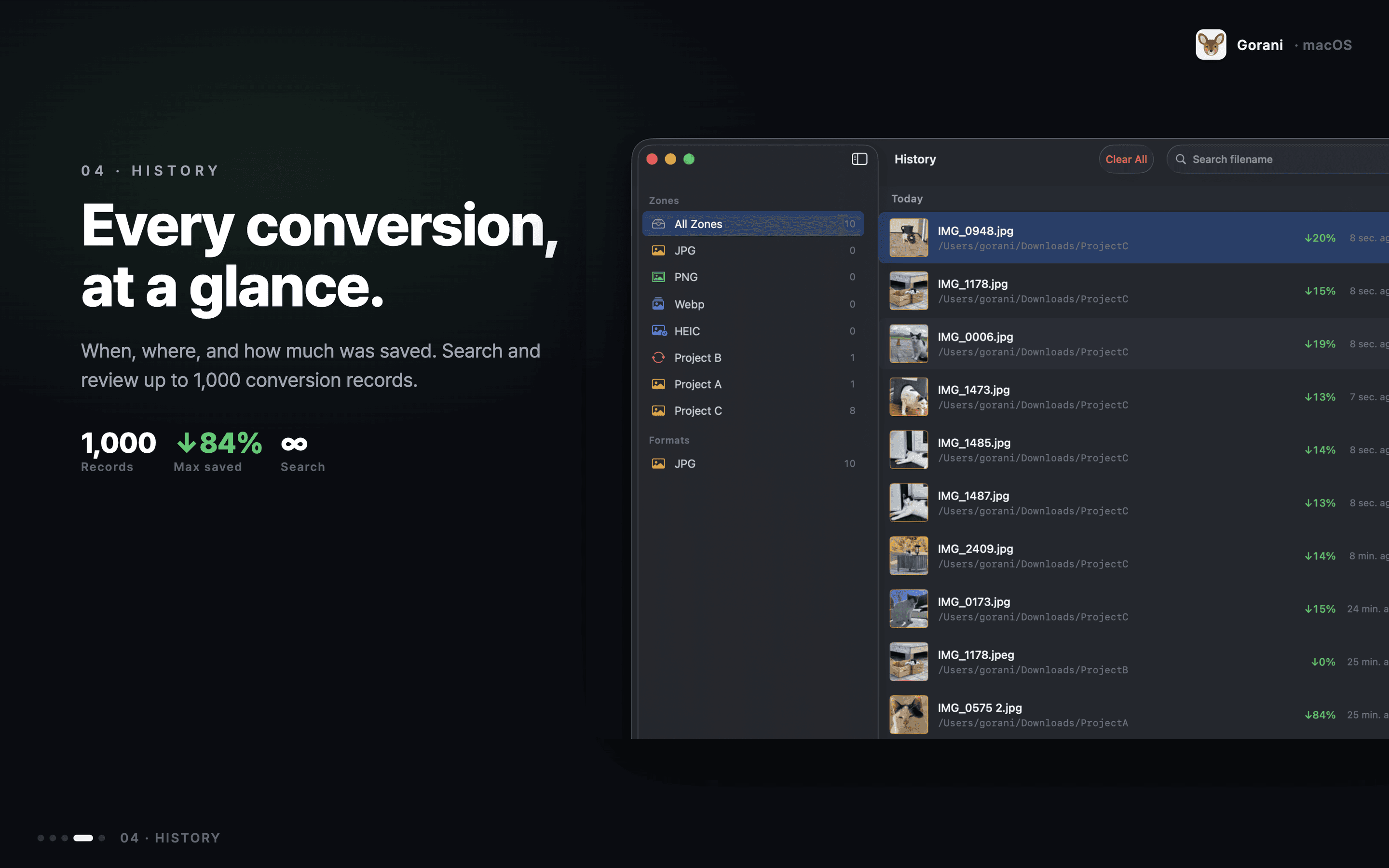
04 · HISTORY
Every conversion, at a glance.
When, where, and how much was saved. Search and review up to 1,000 conversion records.
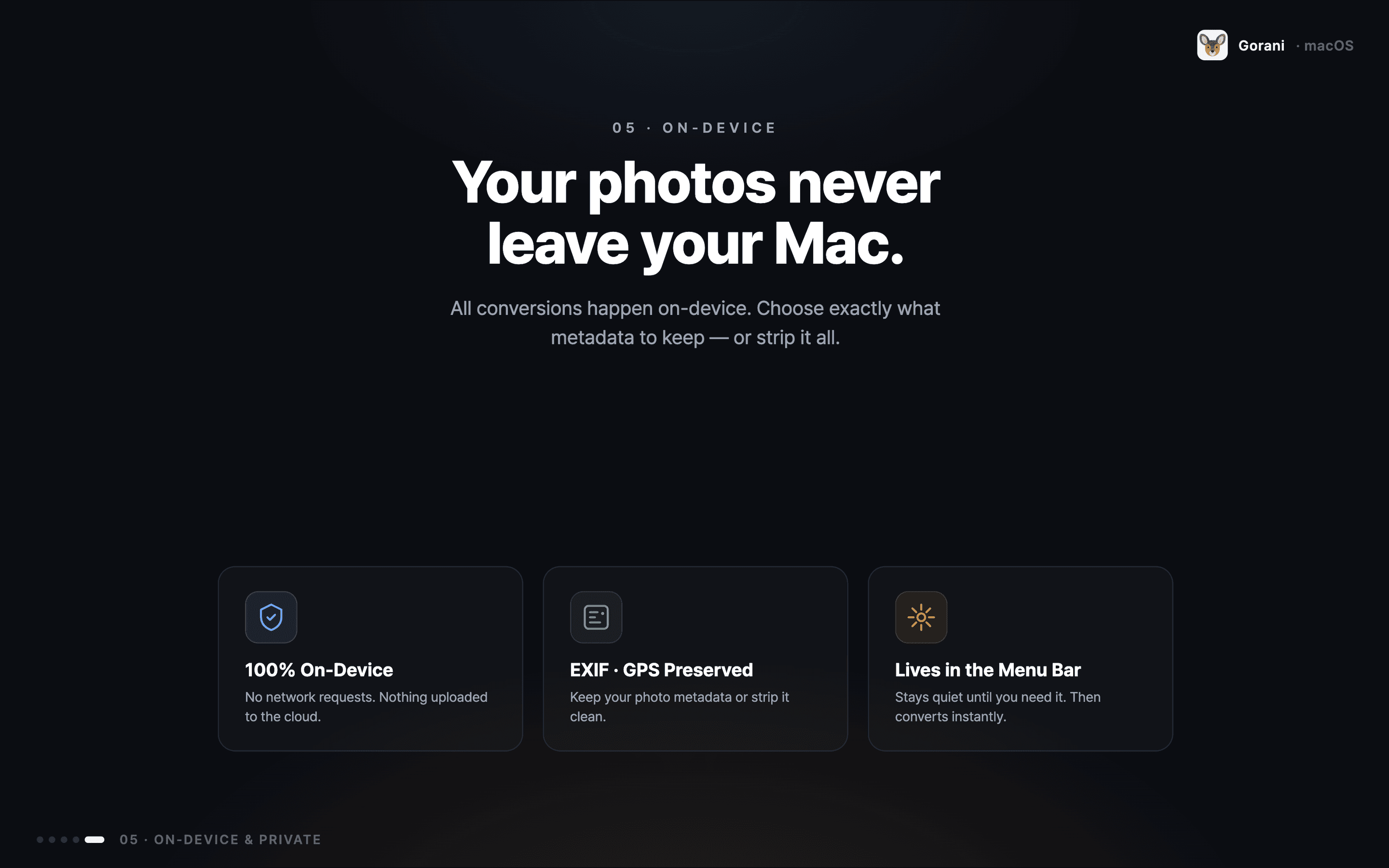
05 · ON-DEVICE
Your photos never leave your Mac.
All conversions happen on-device. Choose exactly what metadata to keep — or strip it all.
Gorani is fast for moments like these
Tidying iPhone photos
Drop the HEICs you received via AirDrop onto the JPG card — ready to paste into Photos, Notion or Figma instantly.
Optimizing images for the web
Drop PNG/JPG originals onto the WebP card at quality 85 and 1920px long-edge. Compressed and saved straight into your CDN directory.
TIFF for archival
Keep the master copy as 100% TIFF and the deliverable as JPG — drop the same file onto two cards side by side.
Batch screenshot conversion
Turn macOS's default PNG screenshots into WebP or JPG with a single drag. Create per-folder cards and repeat work collapses into one gesture.
macOS native, built solid
- Swift + SwiftUIPure SwiftUI with Window / MenuBarExtra / Settings scenes, regular app lifecycle.
- ImageIO-based decodingHEIC, JPG, PNG and TIFF handled directly via CGImageSource/CGImageDestination.
- libwebp fast encodingSDWebImage/libwebp-Xcode SPM package, tuned with method=2 + thread_level=1.
- Lanczos resizingHigh-quality downscaling via CIFilter.lanczosScaleTransform.
- EXIF orientation fixPixel rotation via CIImage.oriented before export, then saved with orientation=1.
- App Sandboxfiles.user-selected.read-write + files.bookmarks.app-scope with security-scoped bookmarks.
- Universal binaryarm64 + x86_64. Native on both Apple Silicon and Intel Macs.
Frequently asked questions
Does conversion require the internet?+
No. All conversion runs locally on your Mac and your files never leave your device. Gorani sends only anonymized usage signals (anonymous app launch, drop zone creation, paywall presentation, etc.) via TelemetryDeck — no personal identifiers, file content, names, or IP addresses, and never used for tracking.
Which formats are supported?+
Two-way conversion between HEIC, JPG, PNG, WebP, and TIFF. Decoding uses macOS ImageIO, and WebP encoding uses the libwebp SPM package.
What macOS version do I need?+
macOS 15.0 Sequoia or later. The app ships as a Universal binary (arm64 + x86_64) and runs natively on both Apple Silicon and Intel Macs.
How do the resize options work?+
Four modes: long-edge fit, force size, scale factor, and maxWidth/maxHeight limits. Core Image's Lanczos filter provides high-quality downscaling, and EXIF orientation is auto-corrected before export.
Can I install this from the Mac App Store?+
Yes, Gorani is available for free on the Mac App Store. It's built with App Sandbox and minimal entitlements for security, with open source license notices available in the app's Settings.
Is Gorani open source?+
The app itself is not open source, but the licenses of every third-party library it uses (libwebp, Next.js, React, and more) are listed on /opensource and inside the app's Settings bundle.
Start today
Set up a few cards once, and image conversion becomes part of your daily flow.
macOS 15.0 or later · Free